

Content Calendar Development
Original Publish Date: 06/17/2025 by Anthony Madalone
Last Edited on: 06/17/2025 by Anthony Madalone
1. Make a Calendar Outline
This part is easy; you can’t fill in a calendar if you don’t have an outline! To make a new outline, simply take a copy of an old content calendar and duplicate it:
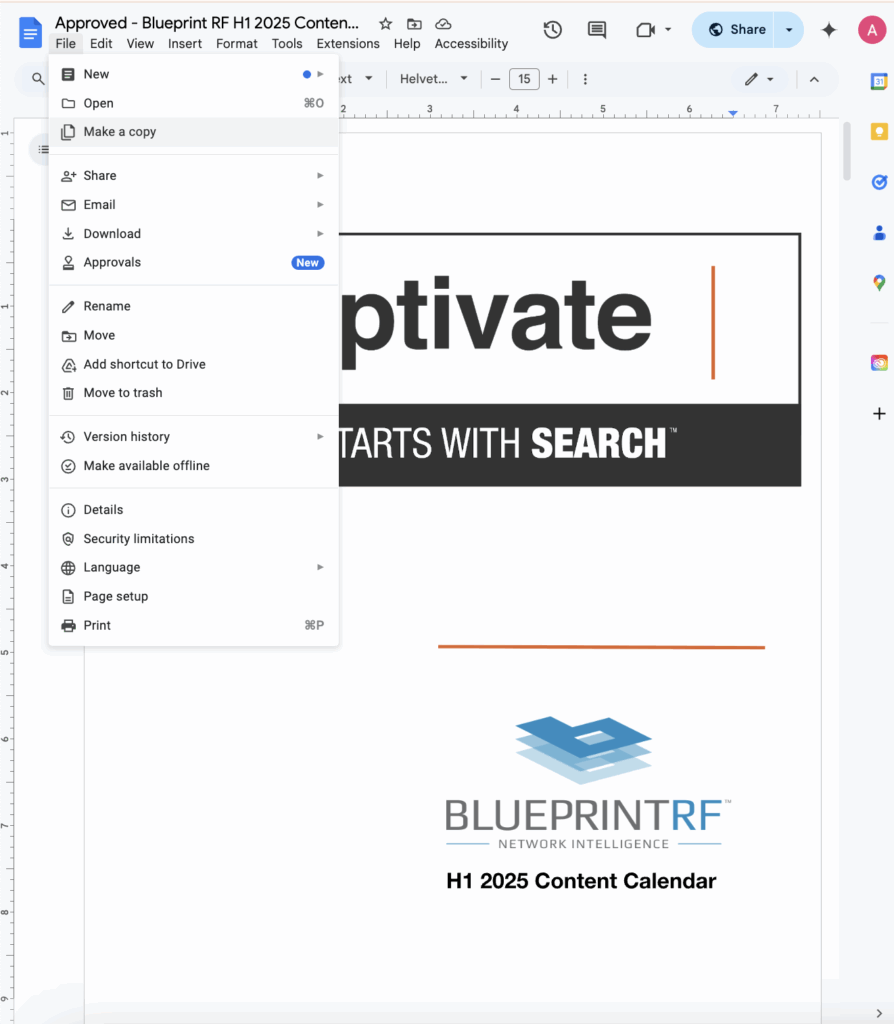
Then, go through and update the months and headers throughout the calendar to reset it to neutral. Places in need of edits include:
- Title Card: Update from “H1 2025 Content Calendar” to whatever year/part of the year this content calendar is for!
- Dates: Go throughout the calendar and make sure the dates line-up with the new year/part of year as well!
- Content Briefs: I like to reset the briefs back to neutral throughout the calendar as well.
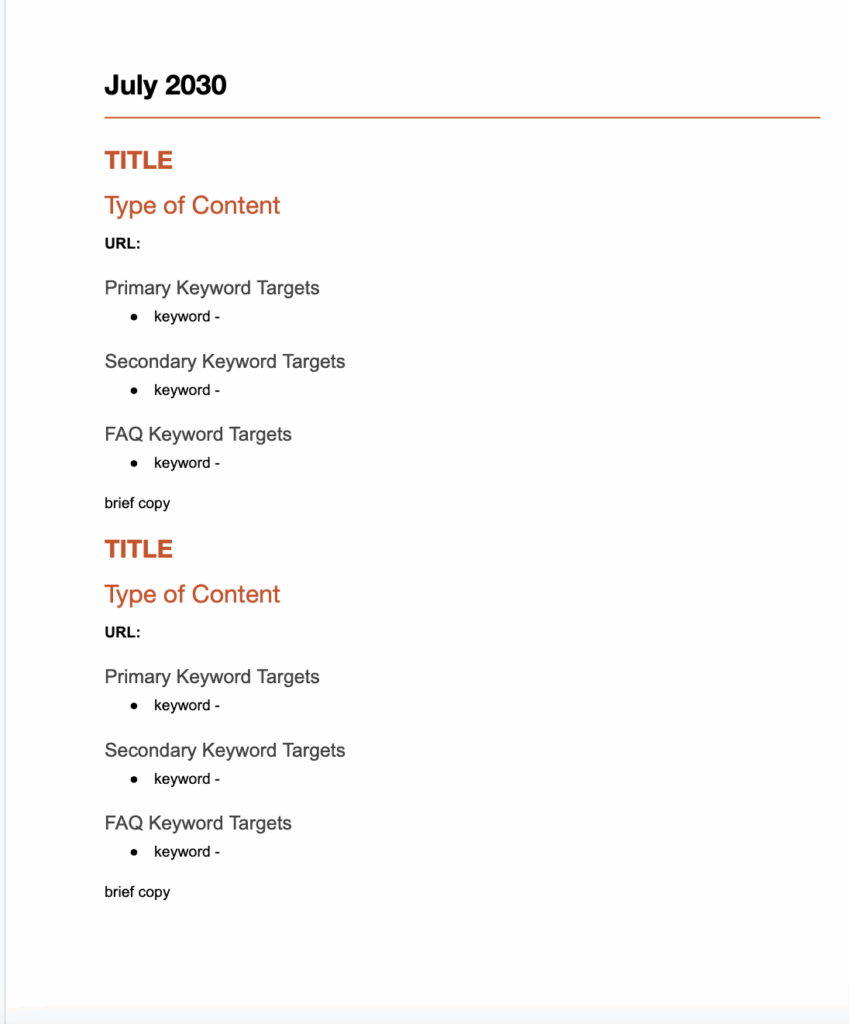
Ultimately, your calendar should look something like this after this process:
2. Content Ideation
Now that your calendar is ready for ideas, it’s time to actually ideate them! How do you do that? In many different ways! Oftentimes the client will provide some topics and ideas to build off of from the start; doing keyword research for these terms will often offer enough guidance. To expand on those initial ideas, however, there are several tools and strategies you can use. Here are a few I’ve found most useful.
a) Using Existing Keyword Research
For some content calendars, you’ll be developing ideas freshly after foundational keyword research. In these cases — use your research to build some briefs! Those “patio paver design ideas” aren’t going to rank themselves!
b) Competitor Analysis
Other content calendars will be coming fresh off of a competitor analysis. If you have competitors you know are ranking well for their content, look at their website and figure out areas where they’re successful that our brand isn’t. With your skillset, you can build content that better targets keywords and offers a more authoritative view on the subject. Don’t steal — improve!
c) SEMRush’s Topic Research Tool
SEMRush’s Topic Research Tool is another great resource for finding content ideas. Say you have a general topic you want to find ideas for; let’s use “hardwood floors” as an example. Plugging that term into the tool: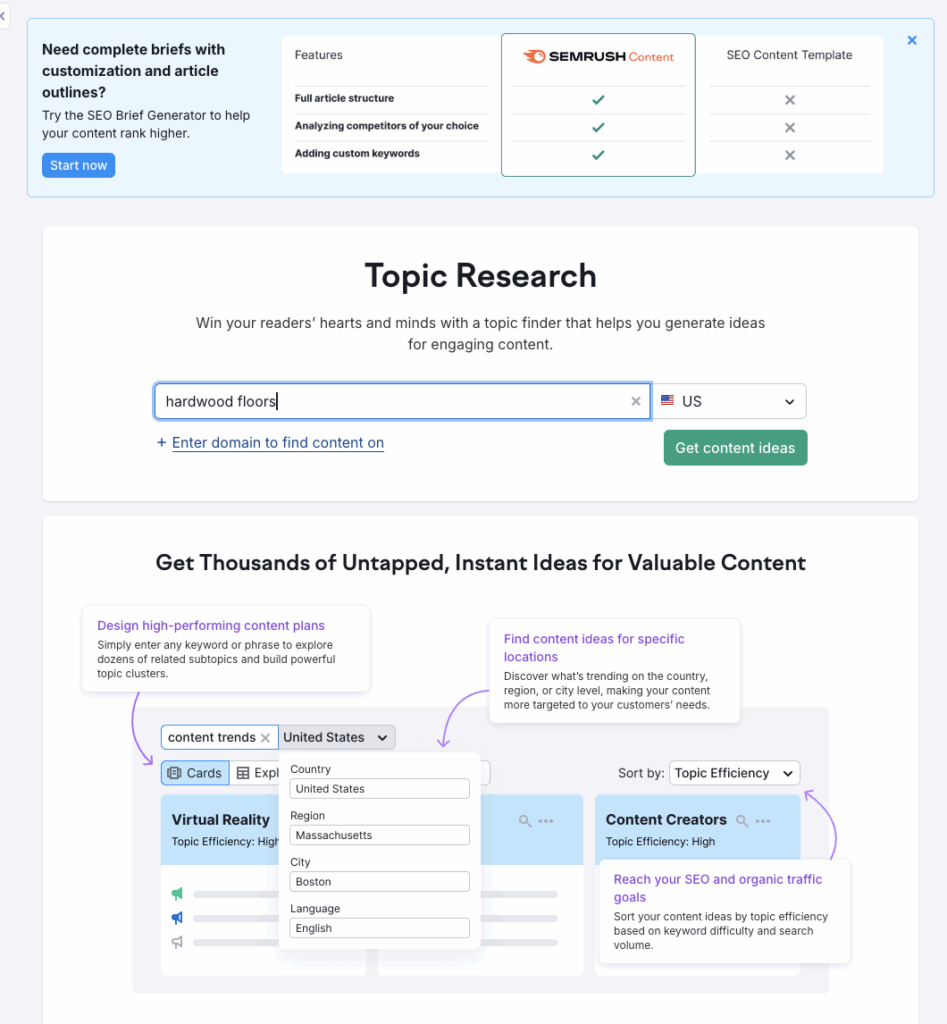
And voila:

Wow! Look at all of those potential topics. Using these suggestions, you can do additional keyword research and find juicy potential briefs that Google will respect and clients will adore.
d) ChatGPT
A more recent addition to our content ideation toolbox is Mr. ChatGPT. Let me be clear: you should NEVER take anything ChatGPT says at face value, ESPECIALLY for content. The algorithm will straight up make up topics, and may even give you fake keywords and keywords volumes to justify its ideas.
That being said…ChatGPT is an amazing tool for finding potential gaps in your research and filling them in with your own efforts. I typically ask it for 20 or so blog topics on whatever term I’m working with. For example, let’s use the “hardwood floors” example again:
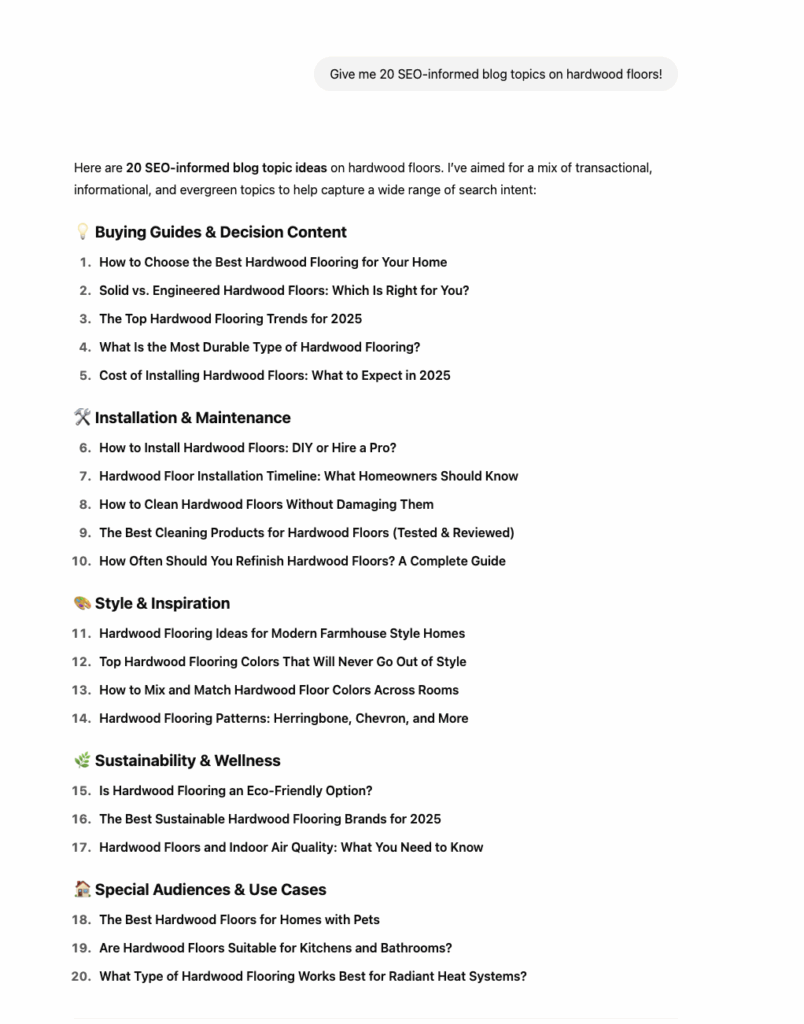
Look at all those topics, god dang! Some of these may be duds, some of them may be BIG winners; do the keyword research for ones that look relevant and expand on your own!
3. Content Brief Set-Up
At this point you should have a wealth of keywords and topics to pull from. Now, it’s time to plug in those keywords and topics into actual briefs. When setting up content briefs, keep in mind which keywords fit best with each type of content, such as:
- New Blog Posts: For keywords that match informative, relevant topics that don’t make sense for landing pages. For example, “12 Hardwood Flooring Design Trends.”
- Re-Optimized/Consolidated Blog Posts: For keywords that represent informative, relevant topics that already exist in some form on a blog, but could use some updates. For example, if a blog exists for “8 Hardwood Flooring Design Trends for 2022,” content could be re-optimized for “design trends 2025” keywords.
- Landing Pages: For keywords representing a specific service, product, or vertical. Examples include “Hotel WiFi,” “Private Networks for Hospitals,” and “Laser Tattoo Removal”.
- Local Landing Pages: Landing pages built specifically to attract local audiences. For example, “Distracted Driving Attorney Atlanta”.
- Infographics: Companion pieces for existing or proposed pieces of content. A great way to boost up a high-ranking piece of content or brand focus.
- Whitepapers: Essentially a REALLY BIG infographic with a lot more copy. Rarely used within our calendars unless explicitly requested by a client, but if you have an idea, pitch it!
Then, sort keywords based on:
- Primary Keywords: The top-level terms you’ll be targeting with a specific piece of content.
- Secondary Keywords: Additional terms that make sense to target within a piece content, supporting the primary keywords without justifying their own piece of content. Not all blogs will necessitate secondary keywords!
- FAQ Keywords: Keyword phrases specifically catered towards “frequently asked questions” within a piece of content.
Once you decide on a type of content, title, and keywords, your brief should look something like this:

4. Content Brief Writing
Now, it’s finally time to write the brief itself! The brief should outline exactly what will be highlighted in the piece of content; think of it as a step by step guide in how the writer should approach developing the content, explicitly mentioning everything that needs to be included. Considerations on what to write within content should include what keywords have high volume, potential FAQs to answer, how to frame the content, what competitors are doing, and what differentiators the brand has from competitors. Ultimately, your brief should look like this:
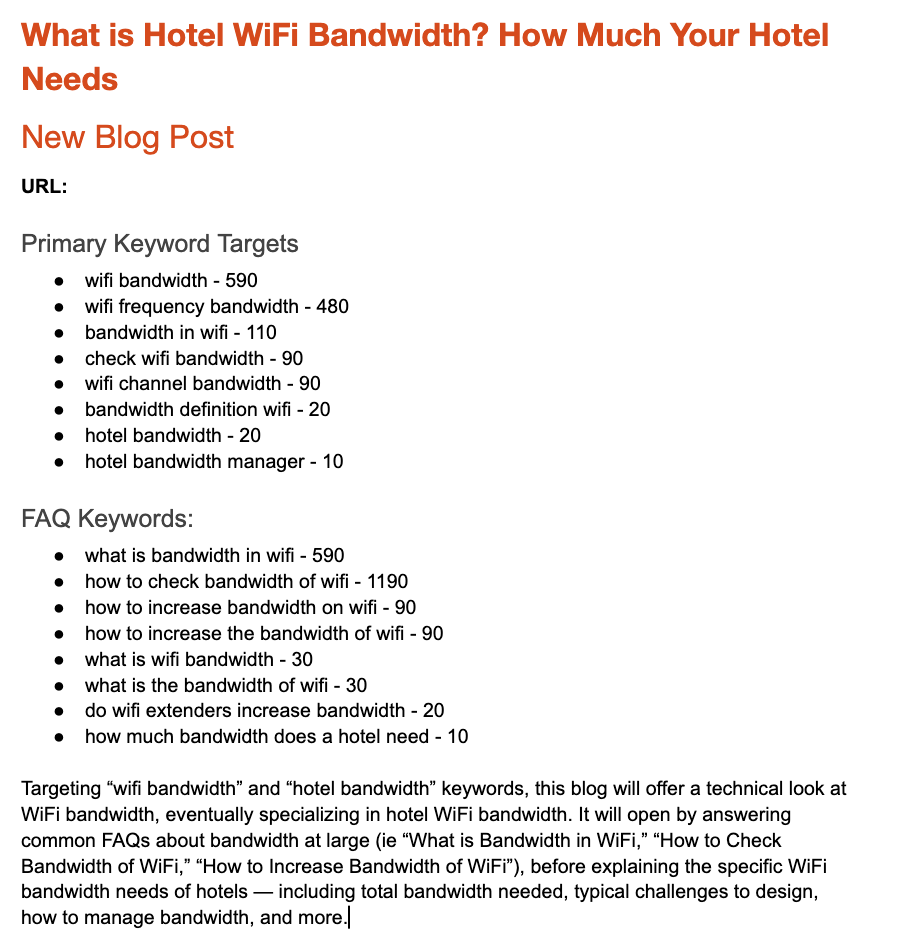
And there you have it! Lather, rinse, and repeat as necessary, and you’ve got yourself a content calendar.